Salesforce or Bloomerang: Choosing for Your Nonprofit

If you run a small nonprofit, you’ve likely considered whether Bloomerang or Salesforce is the best database for your organization. We recommend starting with the tool your team can understand, afford, and use with confidence.
For most small nonprofits, that tool is Bloomerang.
It's easier to learn. It's built for nonprofit work. It helps you take action, not just store data. And it avoids the trap of a misleading "free" price tag that can lead to big costs later.
Read on for a Bloomerang vs. Salesforce comparison and 10 reasons why Bloomerang is a better fit for small nonprofits.
Challenges with Salesforce for Small Nonprofits
Your donor database is not just a place to store names. It affects how you thank donors, track gifts, run reports, send emails, and make fundraising decisions.
If your system is too hard to use, a few things tend to happen fast:
You avoid logging in
You start using a hundred different spreadsheets instead
Your data gets messy
Important follow-up fall through the cracks
Your team wastes time on manual processes
Donors get a weaker experience
Powerful platforms like Salesforce can be tempting, but power is only helpful if you can actually use it. Most small nonprofits don’t have the staff or time to learn how to make use of all its features.
Another problem with choosing a tool that’s too complex for your size is cost. A lot of organizations hear that the Salesforce Nonprofit Success Pack (NPSP) is free for nonprofits and think they have found the perfect deal, but soon the real costs start showing up.
They may need a developer to set Salesforce up. They may need extra tools for email and donations. They probably spend months trying to make sense of a system that feels built for people who speak fluent software. What looked free turns into a very expensive headache.
Salesforce vs. Bloomerang: What We Recommend and Why
If you want a system that helps you raise money, understand your donors, and save time, Bloomerang is often the better fit for a small nonprofit. Bloomerang is a database that was designed from the ground up specifically for nonprofits, while Salesforce was developed for business sales teams.
The best database is not the one with the most bells and whistles. It's the one that helps you follow up with donors, stay organized, and raise more money without feeling lost in your own system.
Let’s dig into 10 reasons why Bloomerang may be the best choice for your organization.
Comparing Bloomerang vs Salesforce for Small Nonprofits

1. Bloomerang requires less setup than Salesforce
One of the biggest differences in Bloomerang vs. Salesforce is how much is built in from the start.
Bloomerang gives you core nonprofit tools in one place. You can collect donations, send mass emails, sell tickets to events, track fundraising, and manage your volunteers without building a huge custom setup first.
Salesforce is bare bones. It is essentially a set of polished spreadsheets. If you want donation forms, email marketing, and nonprofit-friendly workflows, you need other tools, which often come with their own price tag. That adds cost, time, and more moving parts for your team to manage.
If you are small and busy, that matters a lot.
2. Bloomerang is simpler to learn and use than Salesforce
Salesforce has a notoriously steep learning curve that often requires weeks of training. In fact, I never recommend Salesforce unless you have a full-time staff member who can be your dedicated Salesforce guru.
I once worked with an executive director who said talking about Salesforce made her break out in hives. She was only half kidding – Salesforce is such a complicated tool that it can feel overwhelming fast. And what executive director or fundraiser isn't a little overwhelmed already?
Bloomerang is much more user-friendly. You can start doing the basics right away, with minimal training. It's designed for non-technical staff who need to get up and running quickly.
3. A CRM built for nonprofit work vs. for businesses
Bloomerang was made for nonprofit work. It understands things like donor retention, acknowledgment letters, soft credits, in-kind gifts, and partially deductible donations. The language fits the way you actually work. It also has built-in reporting tailored to nonprofits that shows you who's current, who's lapsed, who's likely to give a huge gift, etc.
On the other hand, Salesforce was built for sales teams. That means the default terms and structure often center on leads, opportunities, and revenue pipelines. Yes, it can be customized for nonprofits. But customization takes time, money, and expertise.
Interested in learning more about Bloomerang reports? Here's an article I wrote that teaches you five simple reports to run in Bloomerang to get to know your donors even better.

4. Accessibility for non-techie users
Not everyone on your team wants to live inside your donor database. That’s fair! Bloomerang can ping you even if you never log in.
Your treasurer may want a monthly revenue report by email. Or your executive director needs a reminder to call a donor. No problem! With Bloomerang, you can send both reports and tasks by email, no log in required – you can even send reports to people who aren't Bloomerang users, like your board members.
Salesforce has a lot of sophisticated tools, but won't email anyone who's not a Salesforce user (and you're limited to 10 of those). It works best for people who know the system well and use it regularly. If your team will not be logging in daily to Salesforce, important tasks will fall through the cracks.
5. Responsive customer support with Bloomerang
Bloomerang is known for responsive support, including chat and phone options. That can make a huge difference when you're trying to solve a problem before a campaign launch, a board meeting, or a donor event.
Salesforce support is lacking. In all my years working with Salesforce, I've spoken to a human being exactly once. They'd much rather have you post your questions in an online forum and wait for other Salesforce users to solve it for you – a delay that can be frustratingly long if you're trying to send a newsletter today!
6. Powerful fundraising workflows
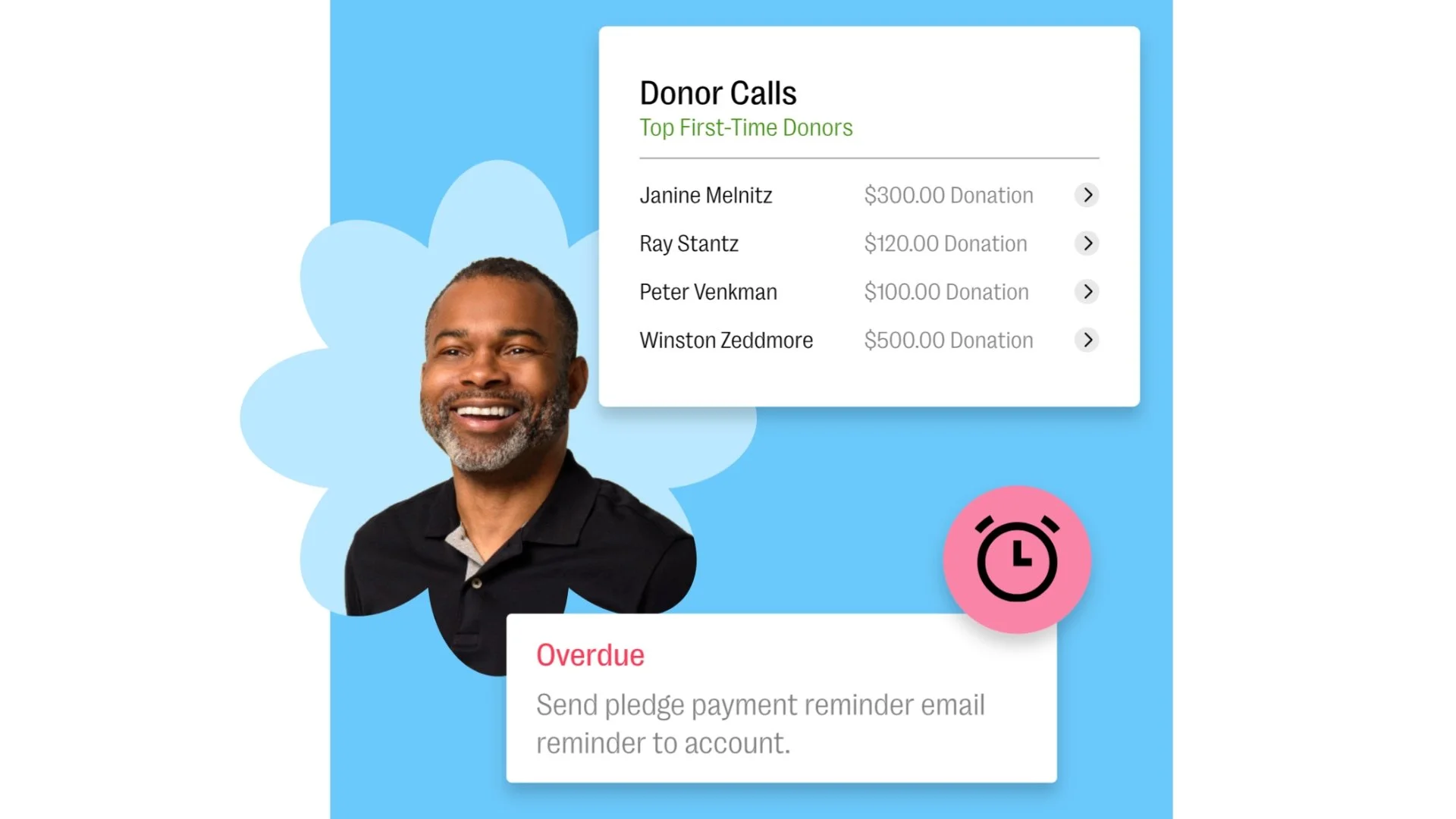
An effective donor CRM doesn’t just store data, it helps you develop a plan to use that data to raise more money. Bloomerang will tell you who to contact, and when. The dashboard includes tools like Donor Calls, which shows you first-time donors who should get a thank-you call. That kind of built-in guidance is simple, practical, and useful.
Salesforce can create sophisticated workflows too, but only if you know how to design them and set it up – or if you have the budget to pay a developer to create them for you.
7. Easier to create custom fields, reports, and more
Every nonprofit is unique, and with different data tracking needs. Maybe you need to make a note of people's t-shirt sizes, or the name of their pets, or what year they graduated from your program. Bloomerang lets you create custom fields quickly and easily to shape the system to your needs. In a couple of clicks, you can add new fields to people, donations, notes, and interactions, labeling and ordering them however you want.
Salesforce also offers deep customization, but that’s exactly what can make it challenging for many small teams. You can tweak almost everything, but finding where to make that change involves navigating a complicated labyrinth of settings within settings within settings. You’ll likely need an experienced consultant to do it for you, or you may end up breaking things (take it from someone who has learned this the hard way!).
8. Unlimited team access with Bloomerang (vs. rationing licenses with Salesforce)
We tend to wear a lot of hats in small nonprofits, and that means we often need several people to have access to our database. Bloomerang makes this simple with pricing based on donor records, not users. You can give access to your staff, interns, board members, and volunteers without constantly worrying about hitting a cap.
With Salesforce, the nonprofit offer may sound generous at first, but once you need more than 10 user licenses, you have to pay for an upgrade.
9. Built-in email welcome journeys inside Bloomerang
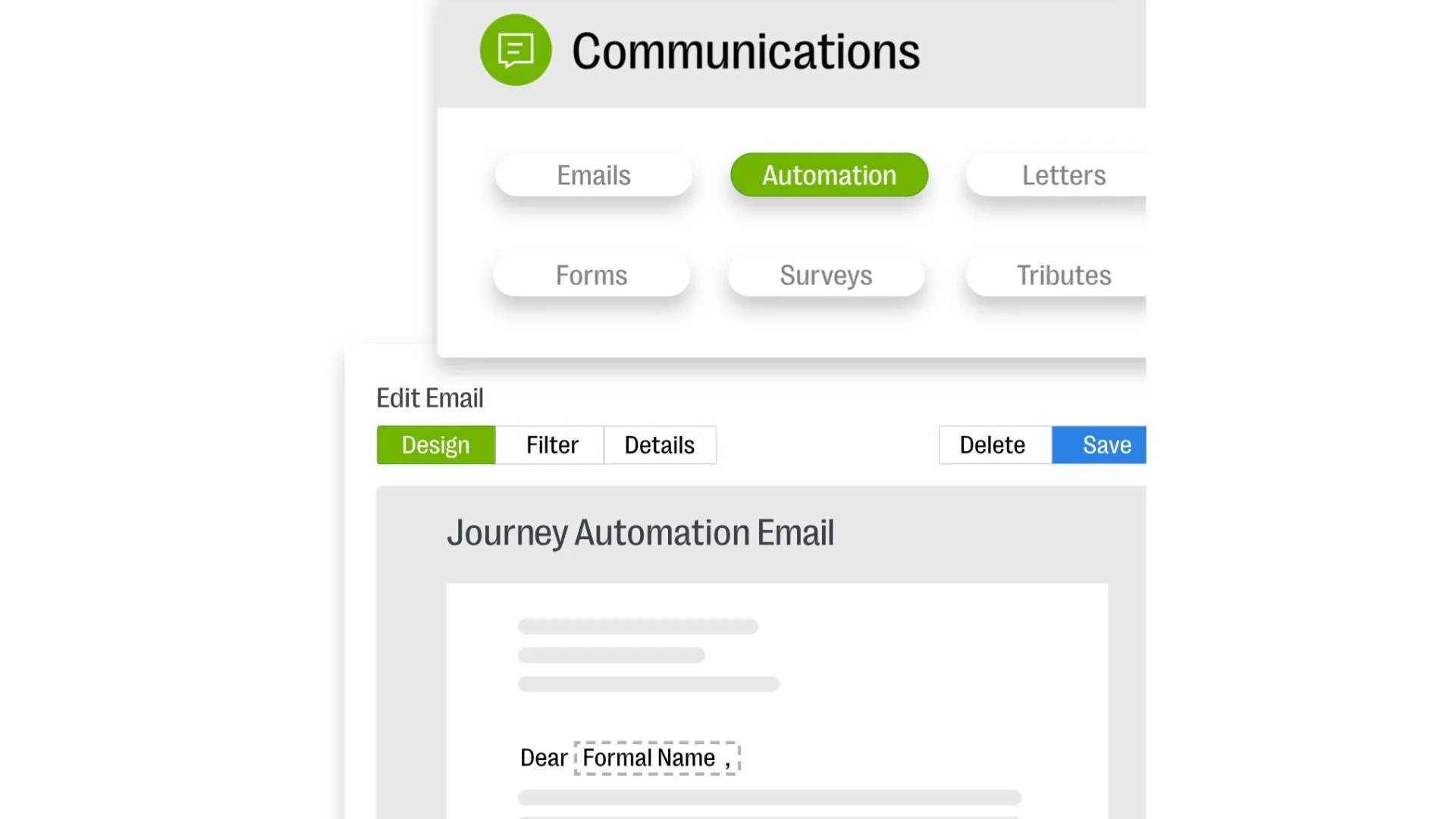
If you know me, you know I LOVE email welcome journeys. They're a fantastic way to double, triple, even quadruple the open and click rates of all your other emails. They turn one-time donors into lifelong ambassadors for your cause.
Bloomerang includes a built-in email welcome journey tool, ready to go out of the box. You can start thanking your first time donors almost immediately.
With Salesforce, on the other hand, you not only need an outside email platform to host the welcome series, but also an automated process to send donor information from Salesforce to that third party program in a precise way that will trigger a journey. That's a lot of extra setup, which means more cost, more integration work, and more chances for things to break.
Want to create a custom email welcome journey for your organization? We can help. Learn more about how we can build an email welcome journey for you.
10. Bloomerang vs. Salesforce: Consider TOTAL costs
This may be the most important point of all.
When people compare Bloomerang and Salesforce, they often focus on sticker price. The basic Salesforce platform can be free to nonprofits, which can sound really appealing. But sticker price is not the full story.
With Salesforce, your real costs may include:
Developer or consultant setup fees (often $10,000+)
Add-on tools for email marketing
Add-on tools for online donations
Add-on tools for events
Staff training time
Ongoing admin and maintenance
Paid upgrades as your needs grow
This adds up to tens of thousands of dollars.
Bloomerang is more affordable and offers predictable, transparent pricing. You pay for the platform, get tools that are built for nonprofits, and start using it sooner. It’s designed for self-setup with minimal outside help, but when that help is needed, it's included too. For a small nonprofit watching every dollar, that often means better value and less stress.

Bloomerang is a clear winner for small nonprofits
To be fair, Salesforce is not a bad platform. It's a powerful tool that integrates with almost everything. It can be the right choice for very large nonprofits with complex systems, custom needs, and dedicated technical staff.
If you have a database manager, a developer, and time for a long implementation, Salesforce may work well for you.
But that is not the reality for most small nonprofits.
If your team is lean, your budget is tight, and your staff needs something they can actually use, Bloomerang is usually the smarter choice.
Feeling overwhelmed with your donor database?
Your data should support your mission, not slow it down. We've worked in almost every nonprofit database out there, and have learned a lot about each one's unique features and quirks.
If you need help sorting through your own data: Learn more about how we can help you optimize your systems with our database services.
If you are considering a change, and want to talk through your options: Sign up for our free office hours today – we'd love to help.